Damn, Zombies/Induction pack
Guides
Three steps between “I would like to play” and standing in the car park with a pistol. If something here does not match what you are seeing, say so on Discord.
Playing with friends? Read the co-op setup and first-round guide for private lobbies, team sizes and a short session checklist.
- 01
Get your access key
Sign up for free with Discord, Google, or email and password. Your 7-day beta key is issued instantly and the clock starts when you first use it.
- 02
Download the game
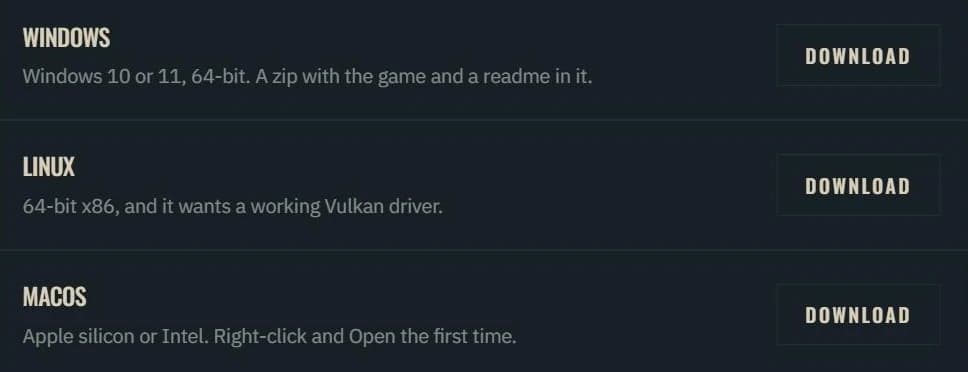
Choose the itch.io desktop app or a direct download for Windows, Linux or macOS. Your game access key works with either option.
- 03
Put the key in
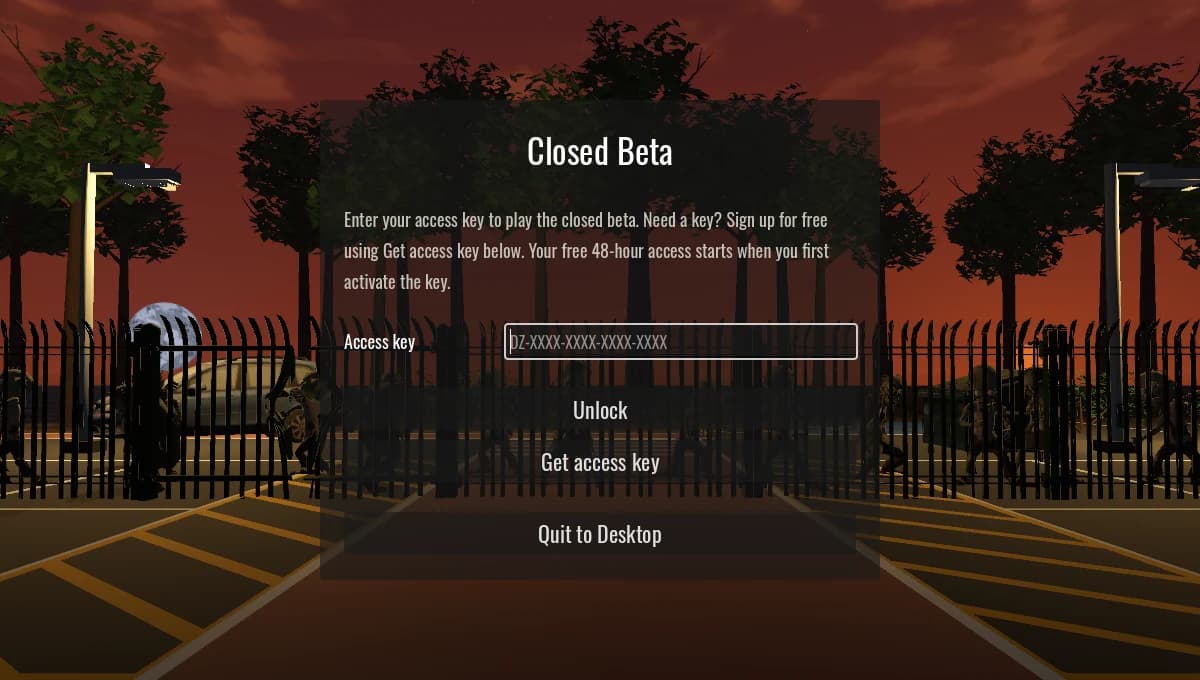
Paste your key into the game's Access key box and choose Unlock. Need a key? Get access key opens the signup guide in your browser.
How long a key lasts
From the first time you use it, not from the day it is issued— so nothing is lost by waiting for a weekend. Signing up grants free 7-day access immediately. You can request an extension on your account page if you want more time; the team reviews each request. You can play during the original access period while your request is reviewed. The game keeps working offline between check-ins, so a train journey is fine and a fortnight with no internet is not.
Available on itch.io
Play through itch.io
Install and launch Damn, Zombies from your itch.io library. The free desktop app is available for Windows, Linux and macOS.
- Install the itch.io desktop app and sign in to itch.io.
- Open our game page inside the app, click Install, and choose your platform if prompted.
- Click Launch, then enter your Damn, Zombies beta key in the game.
Your game account is separate from itch.io. Get a free beta key or use the key on your account page. Your 7 days start when you first use the key.
The Windows build is signed and timestamped as TSMW Development LTD. On Mac, install from inside the itch.io app; downloading a ZIP in your browser still uses the normal macOS security checks.
Installing a direct download
If you downloaded the files in your browser, follow the steps for your platform below. Windows and macOS may show a warning on the first run.
Windows
DamnZombies-beta-windows.zip
- Unzip it and run DamnZombies.exe. There is no installer — that file is the game.
- The Windows build is signed and timestamped as TSMW Development LTD. A signed beta can still show a SmartScreen reputation warning.
- If you see “Windows protected your PC”, click More info and check the publisher is TSMW Development LTD before choosing Run anyway.
- Still will not start, or your antivirus reports a problem? Send us the exact message on Discord so we can investigate.
macOS
DamnZombies.zip
- For installation through itch.io, follow the app instructions above. For a browser download, unzip it and move DamnZombies.app to Applications.
- This beta is ad-hoc signed but not Apple-notarized. If macOS blocks it, try opening it, then choose System Settings > Privacy & Security > Open Anyway.
- On macOS Sequoia 15 and later, right-click > Open no longer overrides Gatekeeper. If Open Anyway does not resolve the error, send us the exact message and your macOS version on Discord.
Linux
DamnZombies.x86_64
- If you downloaded the itch.io ZIP, extract it first. In the folder containing the game, run chmod +x DamnZombies.x86_64, then ./DamnZombies.x86_64.
- 64-bit x86 only, and it wants a working Vulkan driver — mesa-vulkan-drivers on most distributions.
The SHA-256 of each build is shown beside the download button once you have asked for one, so you can check the file is the one we sent.
When something will not work
- It says my key is not one of ours
- Check it for a 0 where an O should be. Keys never contain I, L, O or U, precisely so that this is the only thing it can be.
- It says the key is in use on another machine
- A key covers a small number of installs. Reinstalled, or changed machine? Say so on Discord and the old one is unlinked in a click — you do not need a new key.
- It asks for the key again
- The game checks in about once a day. Offline for longer than that and it asks again; enter the same key. It is not used up.
- My access has run out
- Ask on Discord if you want longer. Extending a key is one click at this end.
- Multiplayer refuses me but the game runs
- The build is out of date rather than the key being wrong — take the current one from the download page.
- It will not start at all
- Say so on Discord with your platform and anything on screen. That is what a beta is for.
Not signed up yet? It takes a minute and the key is free.