Build 66 · Performance, induction & balance
Beta 66: Smoother Nights
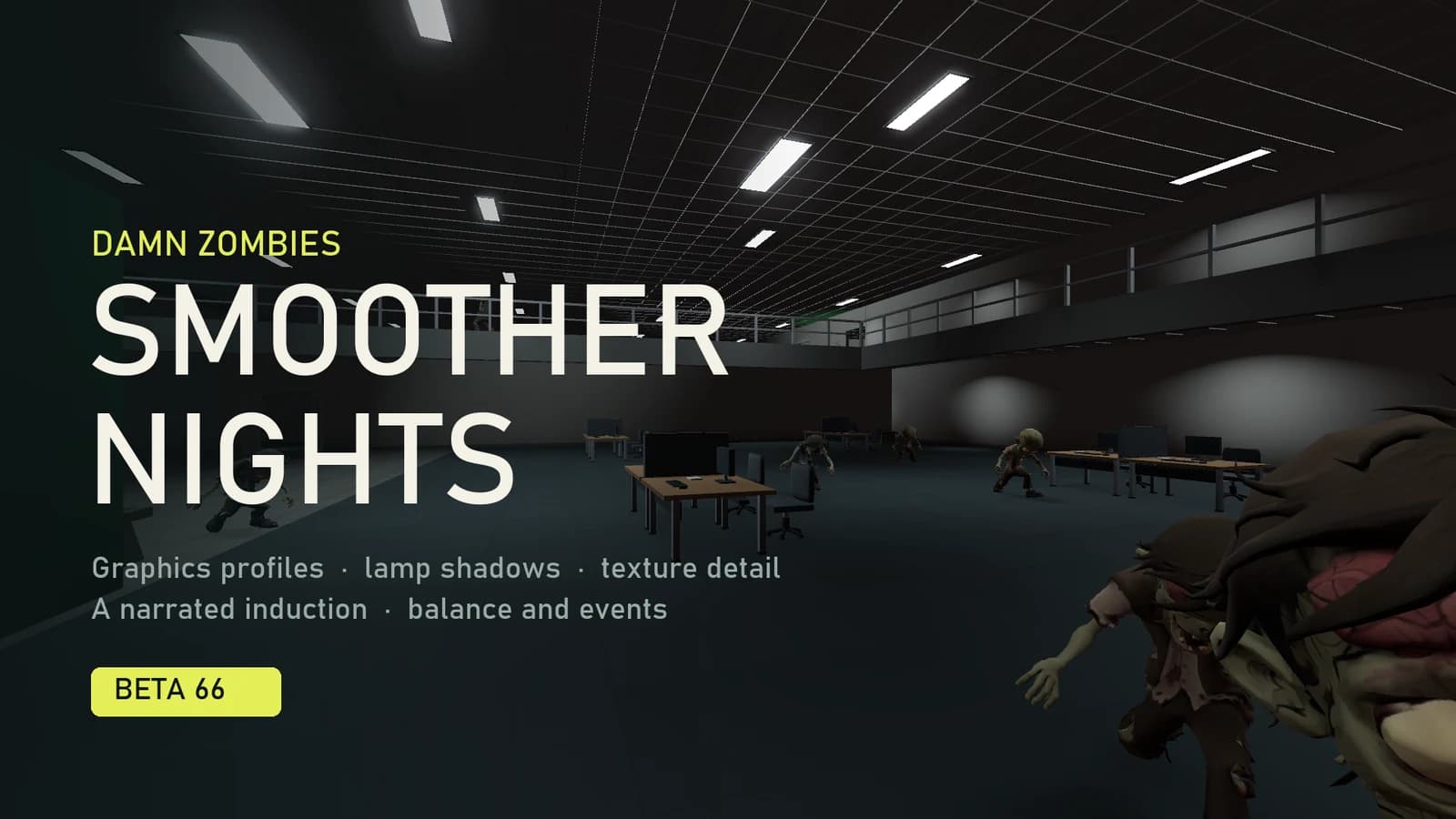
Facilities has finally looked at the electricity bill. The lights stay on after dark, but the building stops redrawing every one of them every frame.
Beta 66 is mostly about frame rate at night, when the office lights come on and frame rates dropped the most. It also brings a new graphics menu with quality profiles, a narrated induction that walks you round the perk machines and fuse boxes, a rule before your first co-op match, and a round of balance changes to events, weapons and scaling.
A graphics menu that sets itself up
The graphics page now opens on a General tab. Pick a Quality profile, or set three grouped controls that each change several settings at once: Lighting & shadows, Effects and Detail. Resolution, frame limit, V-Sync, fullscreen and Reduce flashes sit beside them. Every individual setting is still on the Advanced tab, and each tab shows what the other changed. If you adjust something on its own, the profile reads Custom.
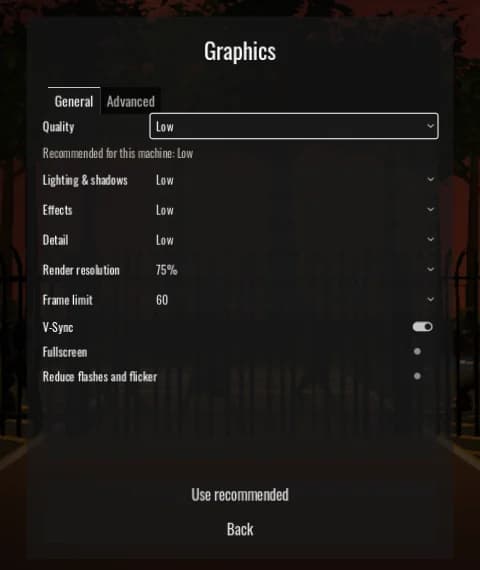
| Profile | Lighting & shadows | Effects | Detail | Resolution |
|---|---|---|---|---|
| Minimum | Low | Off | Low | 67% |
| Low | Low | Low | Low | 75% |
| Medium | Medium | Medium | Medium | 100% |
| Good | High | High | High | 100% |
| Best | Ultra | Ultra | Ultra | 100% |
The game picks a starting profile from your graphics card and memory, and names it on the page as Recommended for this machine. Most dedicated cards start on Medium. Older ones, such as the GTX 10 and 16 series, and newer integrated graphics like Iris Xe and Apple's base chips start on Low. Older integrated graphics start on Minimum, and under 12 GB of memory moves you one step lower. Good and Best are never chosen for you. They are there if your machine has room to spare.
The first time you open Beta 66, your graphics settings are reset to your machine's profile, because the new options did not exist when you last chose. Fullscreen, V-Sync, the frame limit and Reduce flashes are kept. After that, anything you change stays, and Use recommended takes you back.
Lamp shadows: the biggest saving
Every office lamp that casts a shadow redraws the scene around it, every frame, even when nothing has moved. From round 8, when the night comes in, a dozen or more lamps around you were each doing that, which is why the office got slow in later rounds. Now only the lamps nearest to you cast shadows. The rest still light the room, without a shadow, and are kept to their own floor so their light does not shine through the slab into the room below.
The new Lamp shadows setting chooses how many: the nearest 4, 8, 16 or 32. Low and Minimum use 4, Medium 8, Good 16 and Best 32. Shadows set to Off still turns them all off.
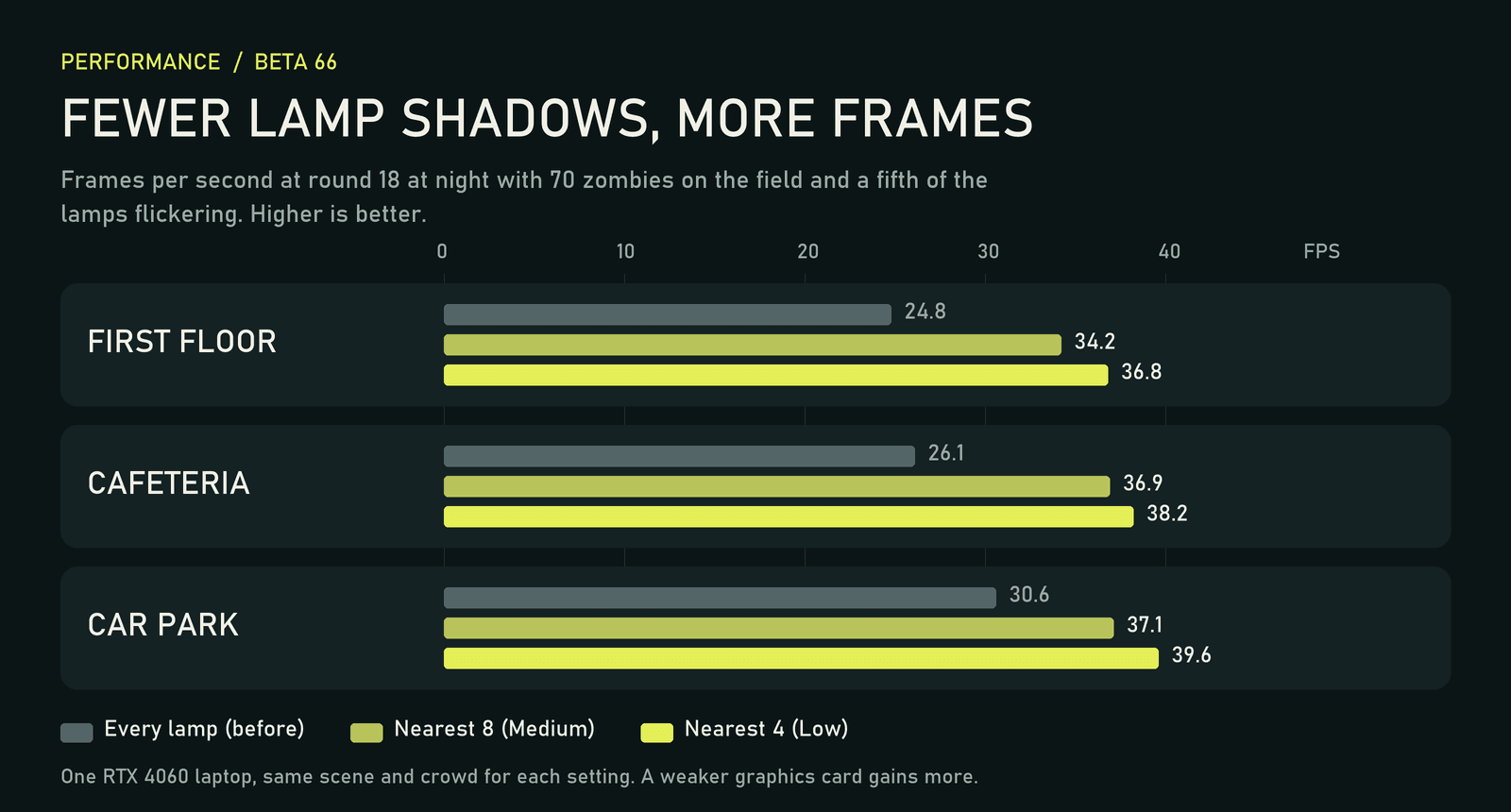
In our late-round test, that is about a third more frames at Medium and up to half as much again at Low, with most of the gain indoors. The graphics card's share of each frame roughly halves, so a weaker card gains more than the laptop we measured on. Here is the same moment in the atrium both ways:
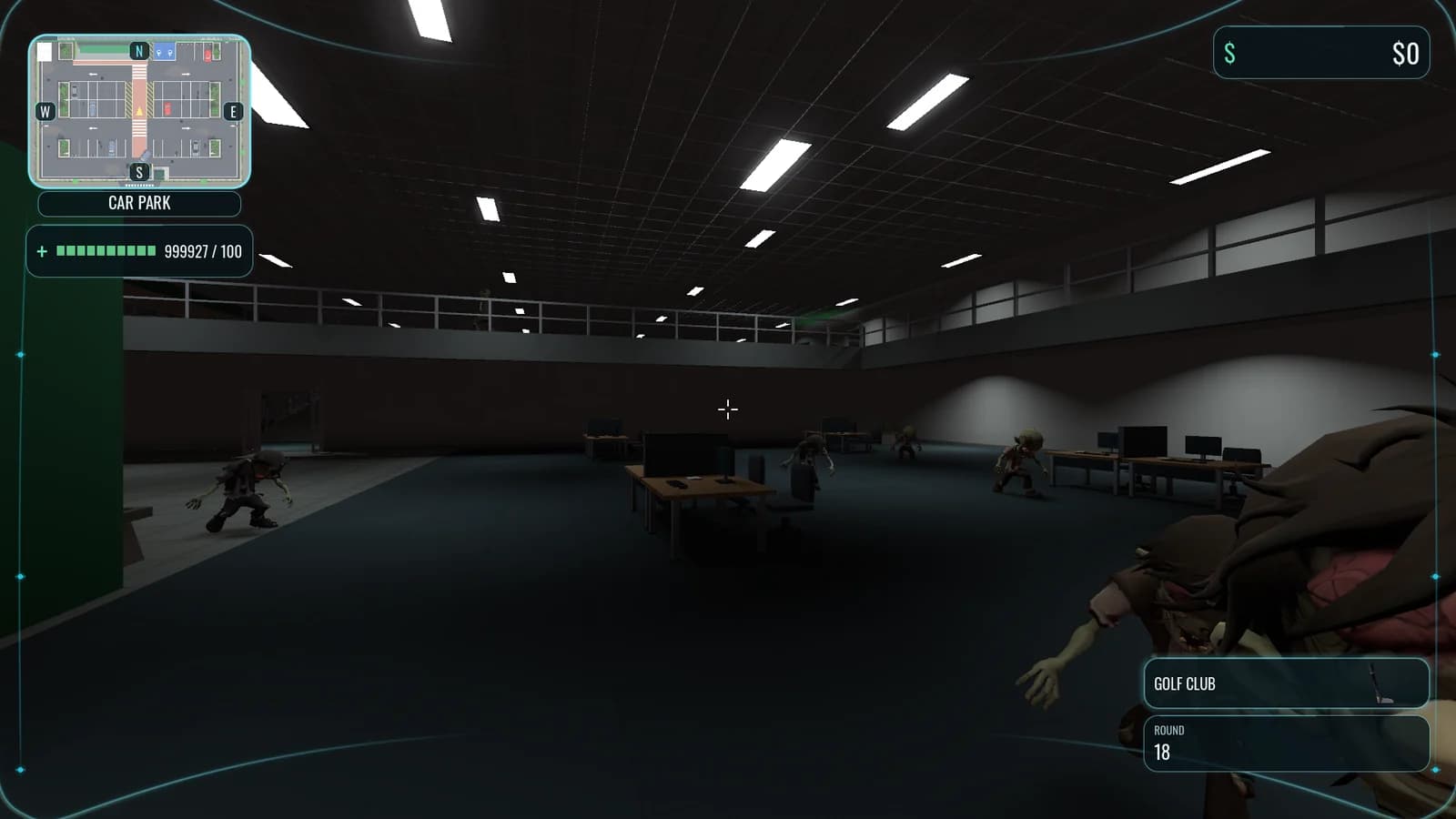
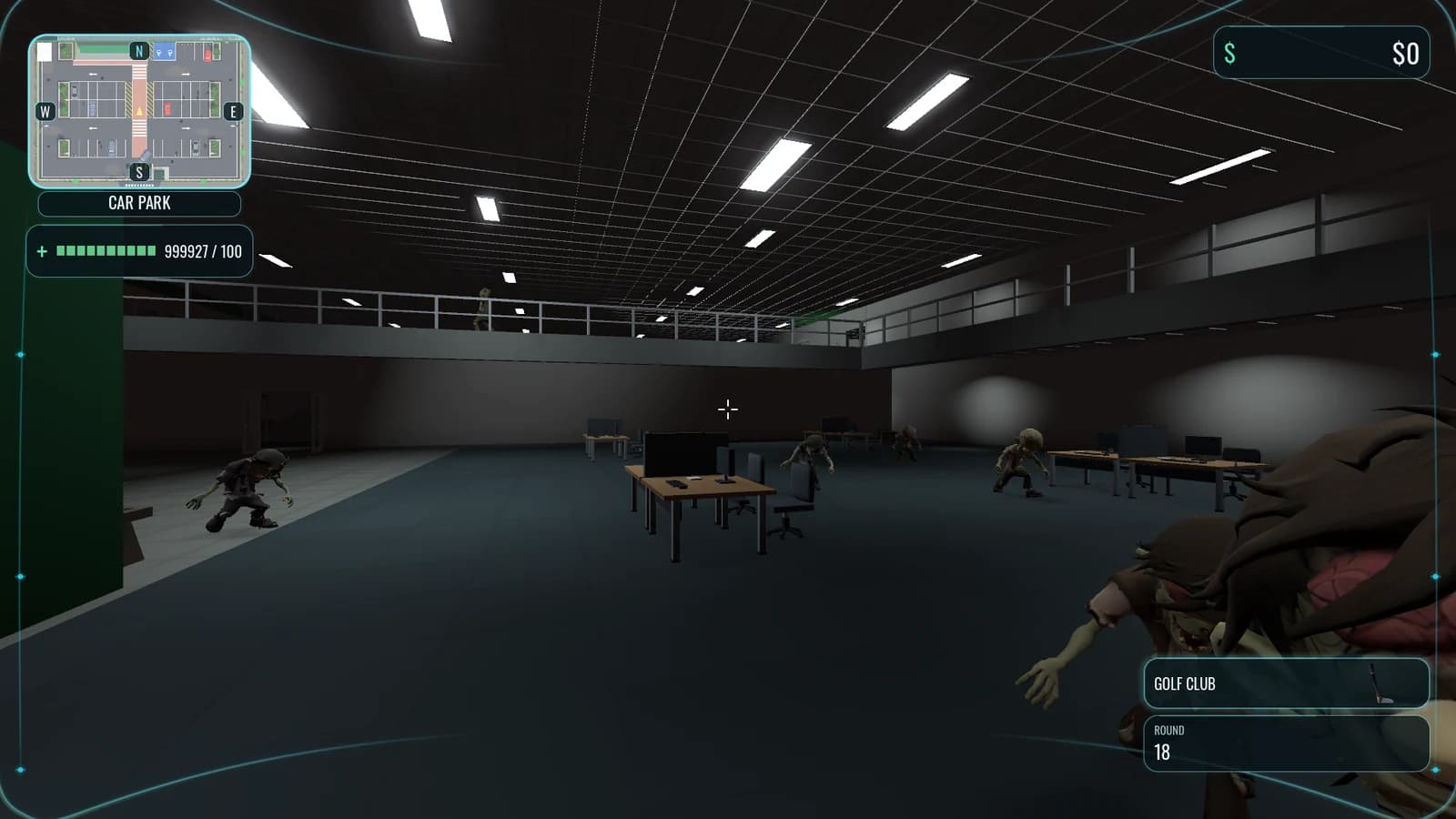
Shadows near you look as before. Further away, a few pools of light are a little smaller. You may occasionally see a lamp's shadow switch on as you walk towards it.
Texture detail
A new Texture detail setting chooses how large model textures are loaded: Low 1024, Medium 2048, and High 4096 for weapons and the props you walk right up to. Zombies and survivors stop at 2048 even on High, because in our side-by-side renders they look the same at every size from any distance you see them. The gun in your hand is where it shows:
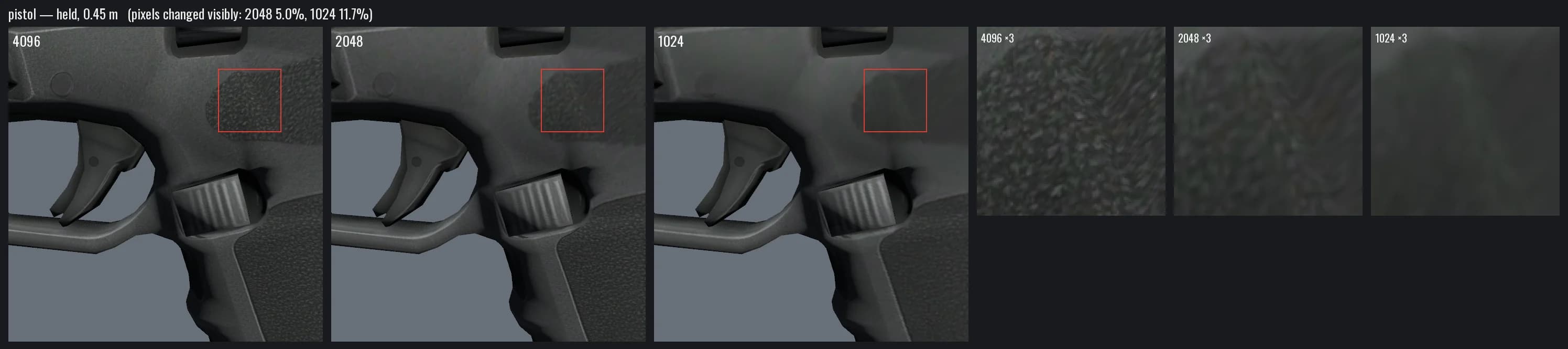
Survivors 2 to 4 were also stored uncompressed, at about 85 MB of video memory each. They are now compressed like survivor 1, about 3 MB each. With every character and prop texture loaded, those textures now take about 21 MB on Low, 83 MB on Medium and 227 MB on High, against roughly 515 MB before.
An induction you can listen to
The induction is now narrated, in the same voice as the office phone. After you buy your first perk, the camera tours the six other perk machines one at a time, naming each room, what the perk does and its price. After you fix the lights, it shows all four fuse boxes. Press A or Enter for the next stop, or skip the rest of the tour.
Induction before co-op
Hosting, joining and Quick Match now open once you have finished the induction or played an hour of single player. Until then, the multiplayer page offers to take you to the induction instead and tells you how many minutes of solo play are left. Only time in a solo run counts, and paused time does not. Spectating is always open. If you played a lot before Beta 66 but never finished the induction, this applies to you too.
Balance and events
- Scaling: rounds 1 to 4 keep Beta 65's easier start. From round 5 the curve rises evenly until round 10, and from round 10 onwards it is back to the game as it originally shipped: health, crowd size, running and the extra crowd for each teammate. A full squad of four faces 3.2 times a solo crowd from round 10.
- Round 15: the Heads of People and the Head of Department have half as much health again, ×6.75 instead of ×4.5.
- Coffee Bombs: supply crates no longer restock them. A completed TeamSync call does. LunchTime Over now gives its Coffee Bomb slot only to survivors who picked up at least one meal.
- TeamSync: the survivor who finds the call gets the perk token, everyone else gets 2,000 points, and the whole team gets full ammo.
- Mandatory Meeting: each meeting room now lays out three pieces of food worth 500 points each.
- The crane: the cage opens both gates when it docks, and stays at the casino while it is open and through its cooldown, coming home when the casino reopens.
- Weapons: the Exec Revolver hits for 60, up from 40. The Nail Gun hits for 10, up from 7. The Motion Carried carbine drops to 25, from 34. A Crossbow headshot kill returns its bolt to your reserve.
Behind the scenes
Crash diagnostics now keep a short performance summary for each run. Before, a long run followed by a few minutes in the menu reported nothing about the run at all. The summary records frame rate by number of zombies, by area of the map, and the worst stutters, which is how we will find the next slowdown. A second copy of the game opened by accident now closes itself, and the Singapore server now reports its connection diagnostics like the one in Frankfurt.
Download Beta 66 for Windows, Linux or macOS, check which profile it picked for you, and see how much further into the night your frame rate holds.